FIRDesign 1.4
The FIR filter designer for loudspeakers and rooms
A linear- and minimum-phase FIR filter designer, in the spirit of rePhase. Design a correction by hand, from measurements, or from a FIR filter you already have; see exactly what it does across magnitude, phase, group delay and impulse; then export a filter for your convolution engine.
Native macOS, Windows & Linux. Self-contained — nothing else to install.
Designing filters
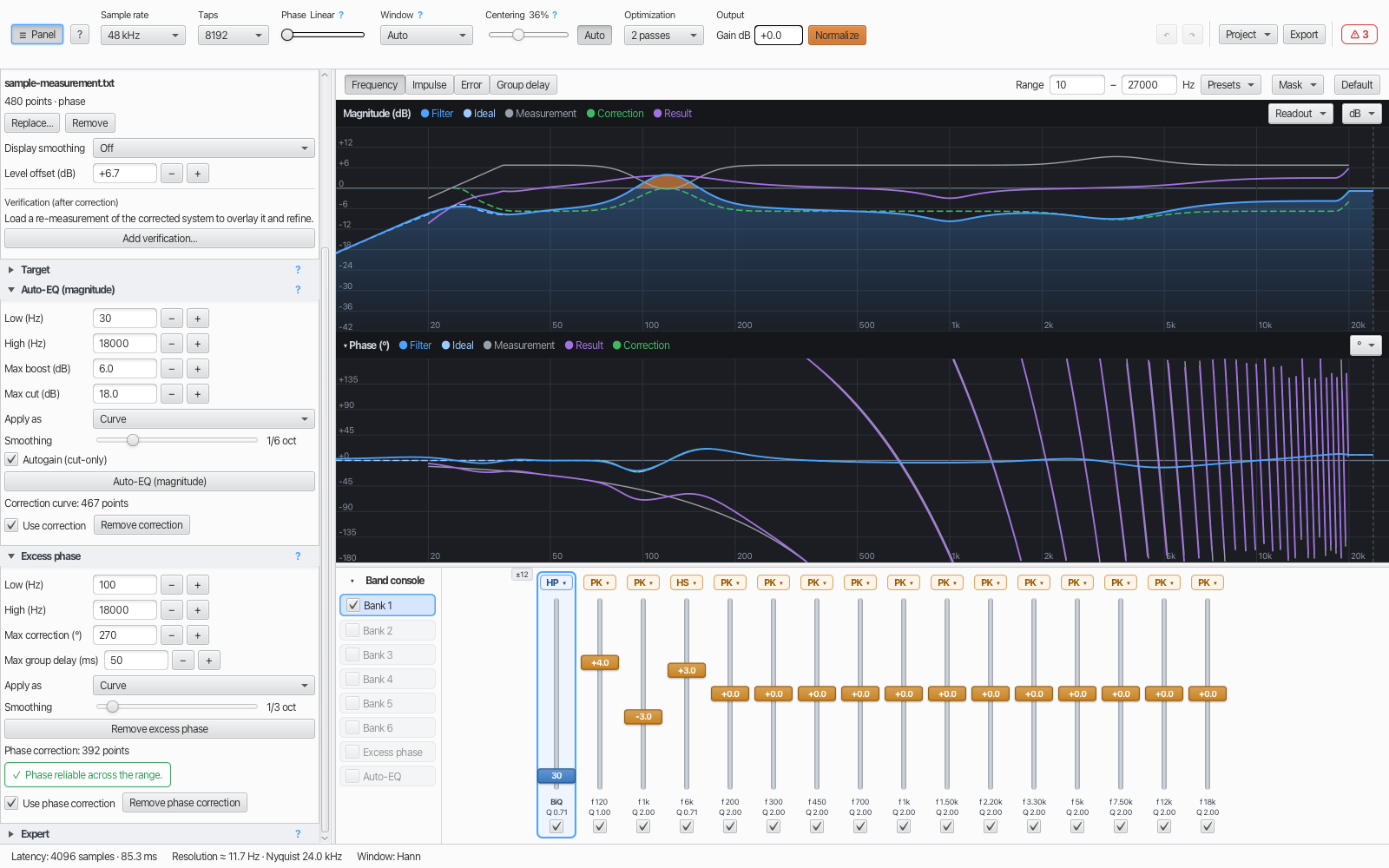
- Three independent channels. A filter is built from parametric bands (each carrying both magnitude and phase), a magnitude correction curve, and a phase correction curve — combined into one FIR.
- Parametric bands in banks of 16, with types peak, low/high shelf, low/high pass, all-pass, phase EQ and linearize; drag on the chart or type exact values; per-bank gain range (±6 / ±12 / ±24 dB).
- Phase modes. Linear, Minimum, or Intermediate — a continuous blend via α.
- Synthesis windows. Auto (picks Blackman for steep filters, Hann otherwise), plus Hann, Blackman and Kaiser with adjustable stopband attenuation.
- Fidelity-aware auto-centering. Finds the minimal latency that still reproduces the design faithfully — including steep low-frequency filters — or set centering by hand.
- Brick-wall filters, honestly drawn. A brick-wall low- or high-pass is always linear phase — the Phase slider moves every other band — and the Design Check says when the window smears its edge over more than a sixth of an octave, and which tap count would fit it — or that none on offer would.
- Full control. Sample rates 44.1–192 kHz, tap counts 1024–65536, selectable optimization passes, and output gain with one-click Normalize.
Measuring & correcting
- Measurement import. Load
.frdmeasurements — acoustic in dB SPL, or electrical in dBFS when the file'sKind:line says so — with display smoothing. An.frdis read as a response; only a.zmaor aKind: impedanceline makes a file an impedance trace. Values that merely look like ohms get a note, never a refusal. - Targets. Flat, a tilt/slope, an imported curve, or a built-in house-curve builder (bass boost, treble cut, presets).
- One 0 dB point per target. Flat is 0 dB everywhere, Slope at 1 kHz, a Custom curve on its untouched middle, an imported curve at a frequency you choose or as in the file. Target level moves the Target up or down from there.
- Auto-EQ (magnitude). Fits the correction to your target — as a smooth curve or as bands — within Max boost / Max cut, with warnings when a limit is reached. The level is fitted where the target is flat, so a +10 dB bass boost rises above an all but unchanged middle instead of pulling it down.
- Cut only (never boost). On by default: dips are filled by cutting around them, and the correction curve never boosts anywhere. It only decides where the correction's level sits — the output Gain is a separate control. (Formerly Autogain.)
- Excess phase. Removes excess phase (crossover, driver, delay) beyond minimum phase, always gated by per-frequency measurement reliability, with a clear verdict.
- Verify loop. Load an after-correction measurement to overlay the real result against the baseline, plus a delta-prediction that tracks further edits without double-correcting.
Speakers with a crossover New in 1.4
- Auto-EQ reads the crossover. Every switched-on low-pass and high-pass in Banks 1–6 is taken as the speaker's crossover. Auto-EQ sets the level only where the crossover lets sound through, may boost up to Max boost just outside the passband, only cuts further down the slope, and fades out where the crossover is 30 dB down (adjustable under Expert). The panel names what it read.
- External crossover. A crossover outside FIRDesign that you measured through — a passive network, an amplifier's filter, another DSP — goes under Target → External crossover. Its slope joins the target, so a driver that falls too slowly is pulled down onto it as far as Max cut allows; with Apply as: Bands the fit starts with a shelf you can type into the other device.
- One level for Measurement, Target and Result. The Target is drawn with the crossover in it, so after a run the Result lies on the Target wherever the correction is not clamped. If a setup leaves no level to fit, Auto-EQ stops and says what to change, before anything is touched.
- Levels between drivers. Export Result…
writes a driver's predicted response as an
.frdat its measurement's own level — with phase, FIR latency removed and stated in the header, when the measurement has phase. Load it — or, better, a re-measurement — as the Reference in the other driver's project, and set the two against each other through the crossover region. Lower the louder one's Gain, and don't Normalize after matching: that undoes the match. The Reference is never used by Auto-EQ or the Design Check.
Rebuild a filter you already have
- Open an existing FIR filter. Import filter…
reads a text coefficient file — the shape rePhase and most designers write — or a
.wavimpulse, and puts its magnitude in the correction slot. Not a format conversion: everything the old file baked in comes back to you as a decision. - The amplitude, frequency by frequency. The imported curve is an ordinary magnitude correction, so the band faders sit on top of it and shape it exactly as they shape an Auto-EQ curve — a problem at one frequency is fixed by dragging a band there.
- Level. The curve keeps the file's own dB, so 0 dB on it means the filter does nothing there — which is what keeps several legs of one multi-way set comparable when each is imported separately. Output level stays the separate question it always is: Gain dB, or one-click Normalize.
- Phase linearity, centering, pre-ringing. Phase is the linear ↔ minimum blend you choose here, not a property of the file; centering sets the latency, and with it the pre-ringing you are willing to accept.
- Taps and window. The tap count is latency and how far down the filter can act; the window trades ringing against stopband depth. Both are yours to pick again.
- Sample rate — one item on that list, not the headline. The curve is frequencies in Hz and carries no rate of its own, so a filter made at 96 kHz is redesigned at 88.2 kHz by setting the project there and changing nothing else. A text file's rate is never guessed: you state it, because reading it wrong moves every frequency and still looks plausible. A WAV states its own in its header, and changing that is warned about.
- WAV filters. 32-bit float or 16-, 24- or 32-bit integer PCM. A file with several channels gets a channel choice, with a note on whether they hold the same filter. A WAV it cannot read in full — 64-bit float, 8-bit, compressed, 24-in-32-bit or RF64 — is refused by name, never half-read.
- It says what it found before anything is applied. Tap count and layout, whether the impulse is symmetric and where its peak sits, the usable band and the dB range — with notes where they matter, and a refusal, rather than a half-read, for a file that is plainly a curve and not coefficients. The curve carries the file's content from the file's own resolution upwards and fades to 0 dB below it, instead of inventing a low end the filter never had.
- Magnitude only. Phase is not imported — the rebuilt filter's phase is whatever you design here. An import and Auto-EQ are alternatives filling the same correction, so if you are going to measure anyway, Auto-EQ against your own measurement is the better start.
Seeing what you did
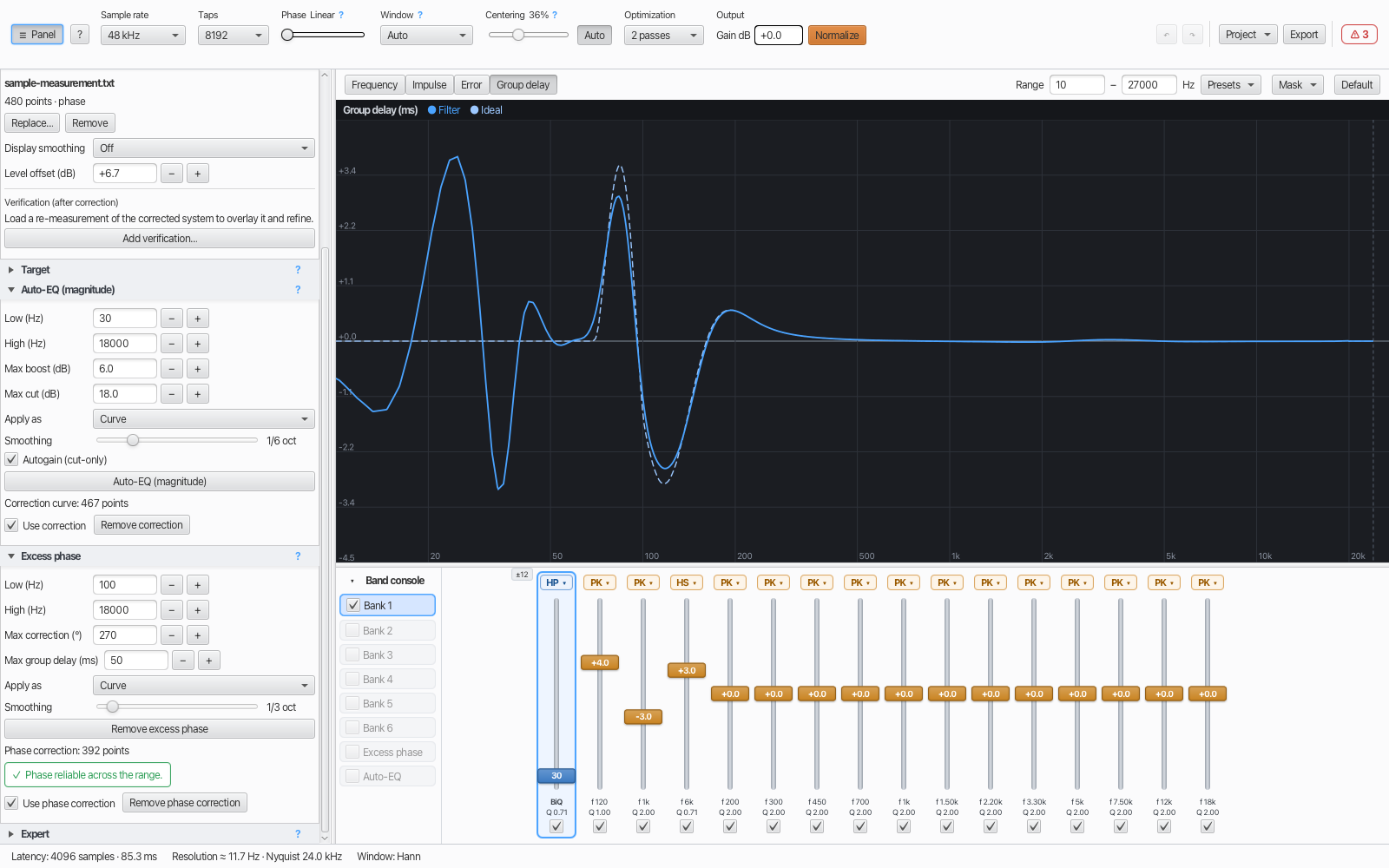
- Six hand-drawn, high-resolution charts: magnitude, phase, group delay, impulse, and separate magnitude- and phase-error charts — log-frequency except impulse, which is on a time axis — with legend, hover read-out, a shared crosshair, zoom and masking.
- Two scales on the magnitude chart. With a measurement loaded, the left axis is filter gain (Filter ±6 to ±48 dB) and the right axis the level the measurement file states, in dB SPL or dBFS (Level Auto, or a 30, 60 or 90 dB span). Each zooms on its own; they share one line — the left axis's 0 dB is the target's 0 dB point, at the level Auto-EQ works to.
- Audibility-graded Design Check. Continuously grades the filter and flags issues by audibility — a green "OK" when there's nothing to worry about, with notes like "≈45 dB below peak, likely inaudible" so warnings stay meaningful.
Output & projects
- Export the impulse response as WAV, raw (headerless
float), or text (rePhase-style, one coefficient per line) — and the predicted
Result as an
.frd. - Projects (
.firproj) save and restore the full design. - Undo / redo with coalescing history (a continuous fader drag collapses to one step).
Help & expert control
- Comprehensive in-app help — searchable, cross-linked topics, opened from the toolbar ?, F1, or contextual ? buttons. Rendered natively, so it adds nothing to the download.
- Expert panel exposes a few normally-baked-in judgment-call constants (auto-centering tolerance, auto-window steepness, Auto-EQ Q cap, Auto-EQ crossover floor) and a Check output headroom switch for the design check's 0 dBFS finding — all saved per project.
- Generous-but-sensible value limits throughout, so a stray entry can never push the engine into nonsense — and every number is shown with a dot decimal, whatever your system's locale.
Platforms & installation
Native, self-contained installers — a trimmed OpenJDK and OpenJFX are bundled, so there's nothing else to install.
- macOS — Apple Silicon (arm64),
.dmg; Intel Macs: 1.4.0 is the last build - Windows — x64,
.msi/.exe - Linux — arm64 + x86_64,
.deb/.rpm/.AppImage
Try, then unlock
FIRDesign installs once and runs as a trial: every feature works except project save and export (impulse and Result), which are shown but locked, and the title shows "(Trial)".
Buy the full version — $39, one-time — and you receive a license key. Paste it into Activate… (or load it from the file you were sent) and FIRDesign verifies it on your machine. No login, no server, no phone-home — activation is fully offline, and your copy is "Licensed to you". Restart to unlock everything.
Design your first filter today
Try every feature free, then unlock with a one-time $39 license.